
Files: every bill, EOB, and record in one place.
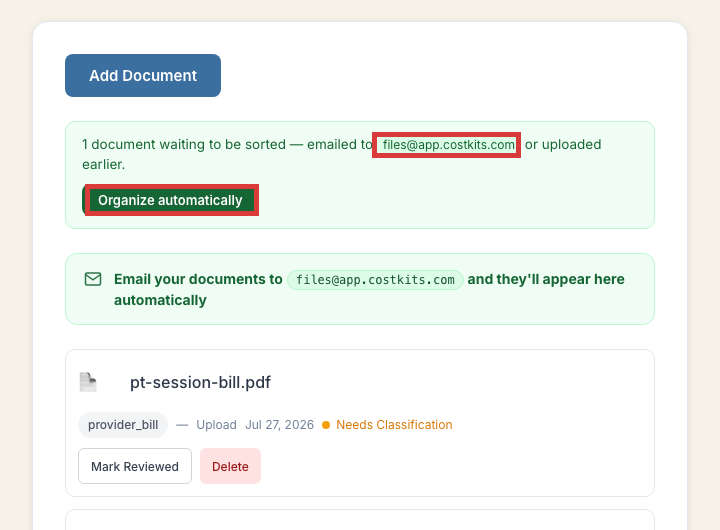
Forward a document by email, or upload it directly. Either way, it lands here first, then gets matched to the visit it belongs to.
How it works
Send it in
Email a photo or PDF to your CostKits email-in address, or upload it from the Files page. No visit needs to exist yet.
Get it matched to a visit
On a free account, you attach it to the right visit yourself. Premium adds automatic matching, so bills and EOBs get sorted and paired up for you.
Common questions
What's my email-in address?
It's shown right on the Files page inside the app: files@app.costkits.com, tied to your account.
Is there a limit on how many documents I can keep?
Free accounts keep a limited number of documents at a time (the oldest is dropped once you're at the limit). Premium removes that limit.
What file types work?
Photos and PDFs both work well. A clear photo of a paper bill is fine, it doesn't need to be scanned.
Try it now
No separate signup, no credit card.